
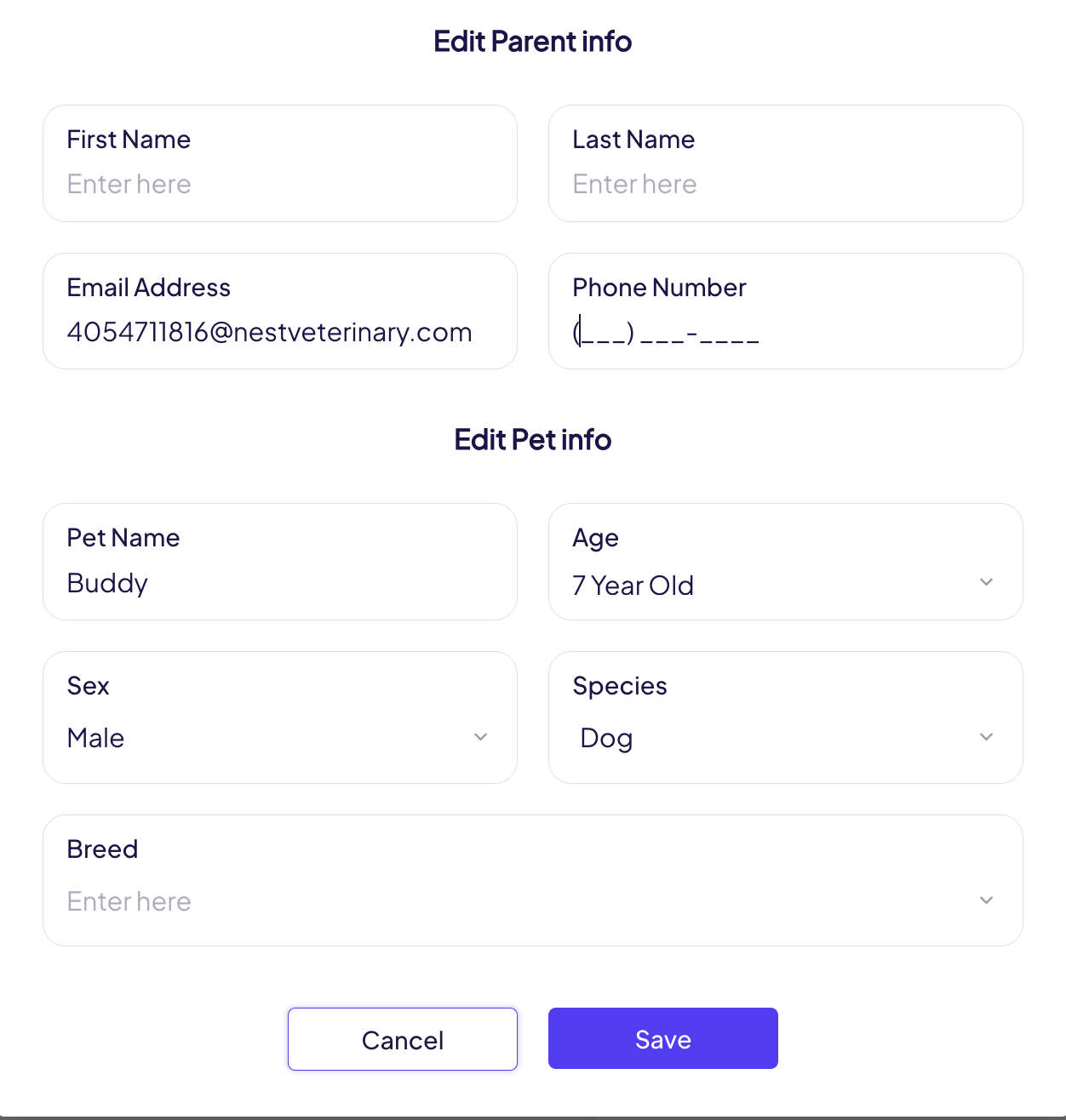
The system pulls patient and client details from your Practice Management System (PMS). However, if any information needs to be corrected or updated manually—such as a pet's name, breed, or client contact details—you can easily make those changes within the platform:
- Go to the Patient’s Profile
Navigate to the patient's profile from the main dashboard.
2. Click the Edit Icon
Click the pencil icon located in the top right corner next to to the pet’s name.
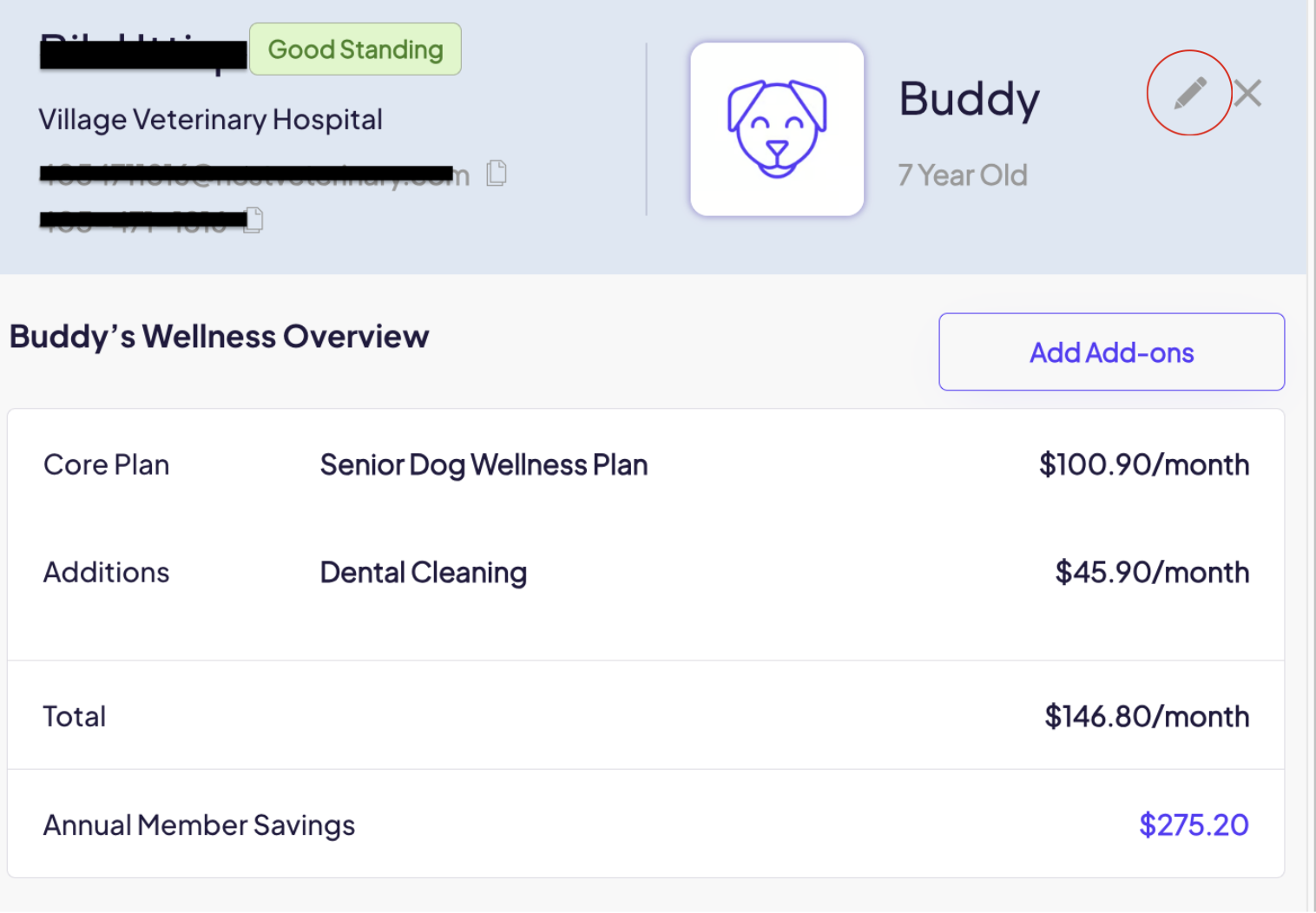
3. Update Information
Make any necessary changes to the pet or client details and click the Save button to apply the changes.
Note: Manual updates will only reflect in Nest and will not sync back to your PMS. Be sure to update the original system as well if needed.
Edit Client or Patient Information in the Dashboard - Watch Video
Comments
Article is closed for comments.